If you sell your car, don’t forget to delete your Fuel Pass Account!
It’s crucial to delete your Fuel Pass account from the National Fuel Pass System if you sell your vehicle.
The Fuel Pass system works with your phone number, so if the vehicle is still in your account, the new owner may have trouble registering for Fuel Pass
National Fuel Pass Account Removal Guide
Setp o1
Go to this website: https://fuelpass.gov.lk/
Step o2
Enter your registered mobile number get your OTP to your mobile as an SMS.
Step 03
Enter your OTP
Step 04
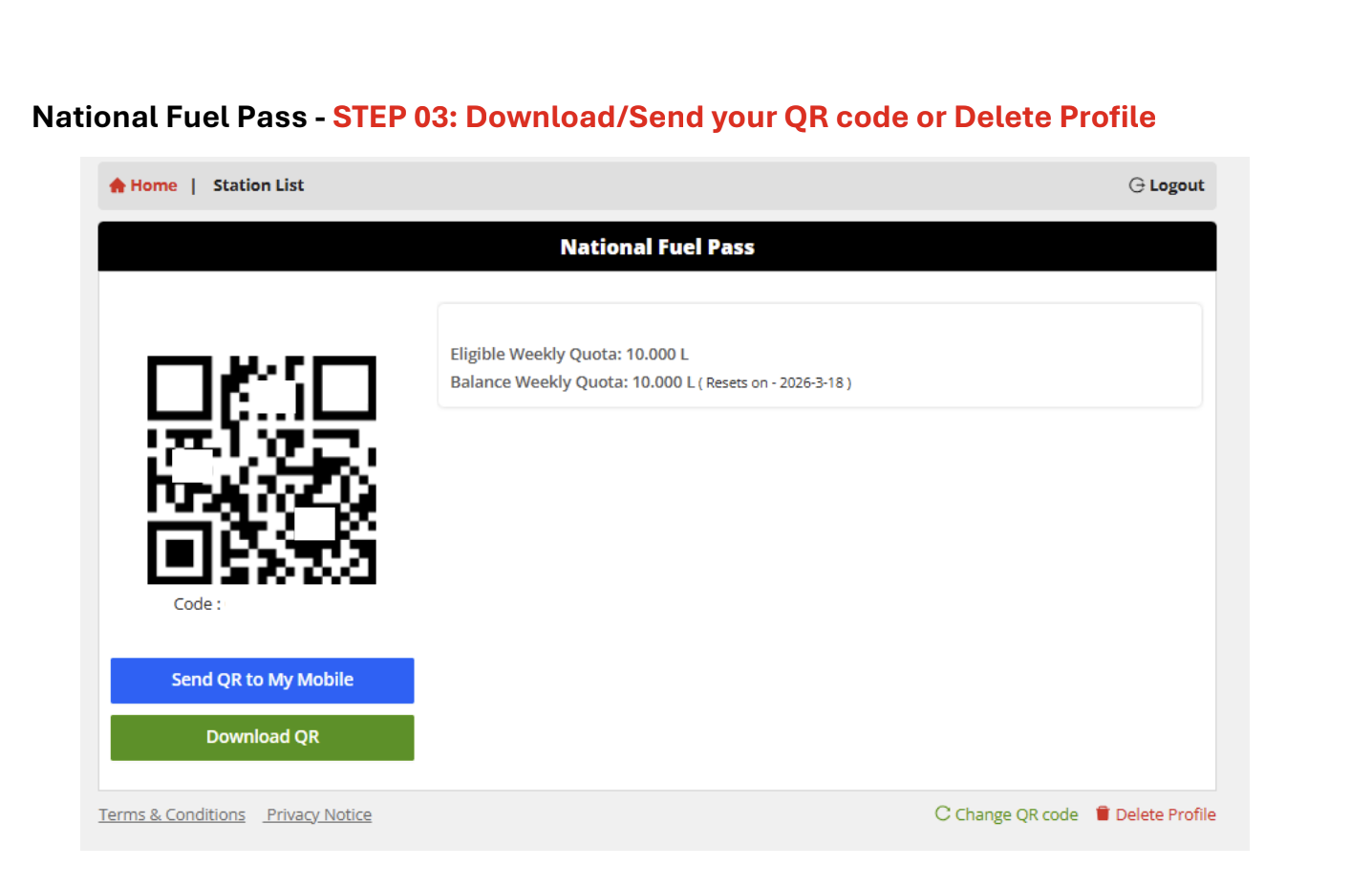
Go to the bottom of the screen.
Step 05
Click Delete Profile to remove the old account.
This procedure makes it easier for the new owner to register for the Fuel Pass QR code. Everyone who sold a vehicle should check this and update it.